- Quantum Computing Demos Overview
- The demos at a glance
- Running demos
- No LED panel?
- IBM Quantum accounts
- Your own Qiskit programs
- Entangible
- Manage demos
- At a booth or in class
- Learning resources
Quantum Computing Demos Overview
Demos, games and notebooks that make superposition, interference and entanglement visible, on screen and on the LED panel. Each one in detail: the demo list. Not sure where to start? Try a learning path.
The demos at a glance
Six groups, each a folder on the desktop and a submenu of Quantum Demos in the RasQberry menu. Dev marks demos that are in the development image only, not in the beta. Need them? Use the development image; for a class or event we help you check it (workshops & events).
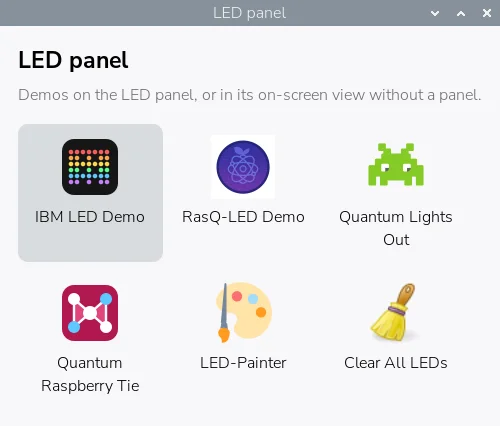
| Group | What is in it |
|---|---|
| LED panel | IBM LED Demo, RasQ-LED, Quantum Lights Out, Quantum Raspberry Tie, LED-Painter, text and logos |
| Play | Quantum Coin Game (seven more Fun with Quantum games: dev), Quantum Fractals, Quantum Paradoxes (dev) |
| Big projects | Qoffee-Maker, Quantum Mixer, Entangible (dev), racetraQ (dev) |
| Learn & code | My Quantum Programs, Grokking the Bloch Sphere, IBM Quantum Tutorials and Courses, IBM Quantum Composer; doQumentation and Qiskit Live (dev) |
| Workshops & events | Demo Loop; Workshop & Qiskit Server (dev) |
| Contributed demos | Partner demos from the catalog: SAP Quantum LED, SAP Quantum Learning |
Only the LED Demos (text, logos, tests), RasQ-LED and Quantum Fractals are on the card from the start; the others download on their first start, which needs a network. Docker demos take 2–4 GB each and need a card of 32 GB or more: Qoffee-Maker, Quantum Mixer, and in the development image doQumentation, Qiskit Live, QuBins and the Workshop & Qiskit Server.
Running demos
- Desktop: double-click an icon, or a group's folder and then the demo.
- RasQberry menu: RasQberry Configuration (or
sudo raspi-config) → 0 RasQberry → Quantum Demos. All paths below start there. - Terminal:
rq_demo_run.sh <id>, e.g.rq_demo_run.sh quantum-fractals(ids: demo list).
Most demos need a display: a monitor, or VNC. To stop one, close its window or press Enter or Ctrl+C in it. Docker demos keep running: Manage demos → Stop Docker demos. An LED demo still holding the panel: Quantum Demos → Stop a running LED demo.
No LED panel?
LED demos open the panel on screen, so they work without one.
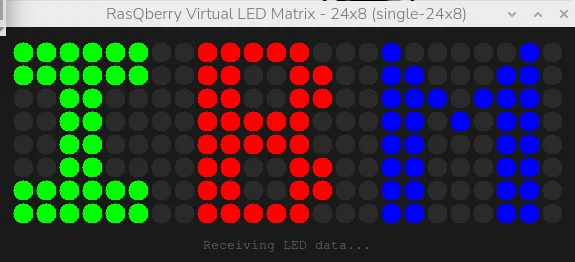
To watch it in a browser on another device: 0 RasQberry → Quantum Demos → LED panel →
LED setup & tests → Output Targets, then open http://rasqberry.local:8098.
IBM Quantum accounts
The demos run on the built-in simulator, without an account; the online IBM Quantum Composer simulates up to four qubits without signing in. For real IBM quantum computers (some demos offer them), get a free account at quantum.cloud.ibm.com and save its API key once: 0 RasQberry → IBM Quantum account → Save my API key. Most IBM Quantum Tutorials are written for real hardware.
Your own Qiskit programs
Double-click My Quantum Programs: JupyterLab opens in ~/My-Quantum-Programs
at Hello World, next to example programs. File → New → Notebook starts
your own; keep it in that folder, which A/B updates keep. Python files run with
rq_python my_program.py or in Thonny. System Info shows the Qiskit version.
The LED panel from your own code.
Using the saved API key from your code, the simulator, more packages: Python and Qiskit.
Entangible
In the development image. Build a circuit from printed gate tiles and let a camera (USB webcam or Pi camera) read it: print the tiles and board (A4) and point the camera down at the board. Phones on the same network join with the address its window shows (they warn about the certificate once: Advanced → Proceed).
Manage demos
Quantum Demos → Manage demos:
- Download all demos: everything now, before you go somewhere without a network.
- Add demo from catalogue: reviewed partner demos, pinned to a tested version
(
rq_demo_add_external.sh --list). - Update demos, Remove a demo (it downloads again when started), Stop Docker demos.
At a booth or in class
- Run Download all demos while you have a network.
- Quantum Demos → Workshops & events → Demo Loop → Start the demo loop plays demos one after another (Enter skips, x stops): all of them, or those from Choose the demos. Start the Demo Loop at login runs it instead of the browser, with no one at the keyboard.
- Several Pis on one network: give each its own name, in the setup checklist or Imager.
- Open the Pi's own Wi-Fi hotspot so visitors' phones can join.
- The screen doesn't blank (
sudo raspi-config→ 2 Display Options → Screen Blanking). 0 RasQberry → Desktop Settings → Browser at login stops rasqberry.org opening at every start. - For a class: student accounts without admin rights.
- Demos that draw visitors, and what to bring: for a stand.
Learning resources
IBM Quantum Learning · Qiskit documentation · IBM Quantum Composer · Fun with Quantum
Questions? Ask Ket.