- Qoffee-Maker
- Run it
- What you'll see
- Credits and documentation
Qoffee-Maker
Build a quantum circuit, measure it, and get the drink the measurement chose. Each beverage is a bit pattern — 000, 001, 010 … — so ordering a cappuccino means constructing a circuit whose measurement lands on the right one. Quantum mechanics being what it is, you can shift the odds but never quite give an order.
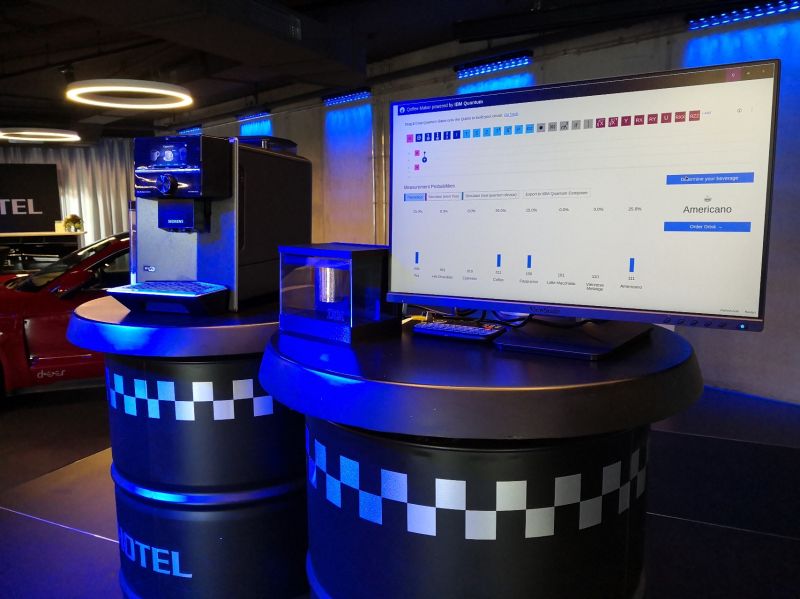
Needs: a display · a network connection · Start it with: rq_demo_run.sh qoffee-maker
Run it
Open the Big projects folder on the desktop and double-click Qoffee-Maker.
It starts the Qoffee
container, opens qoffee.ipynb, and switches straight into the app view — you do
not have to run any cells yourself.
It is also under Applications → RasQberry → Qoffee-Maker, or in
sudo raspi-config → 0 RasQberry → Quantum Demos → Big projects.
The first launch pulls the Qoffee container image, so give it a few minutes and a decent connection. After that it starts quickly.
If you end up looking at the notebook instead of the app — the auto-start did
not take, or you opened qoffee.ipynb yourself — click the rocket icon (🚀)
in the toolbar. That runs every cell and starts the app view, which is exactly
what the icon does for you.
What you'll see
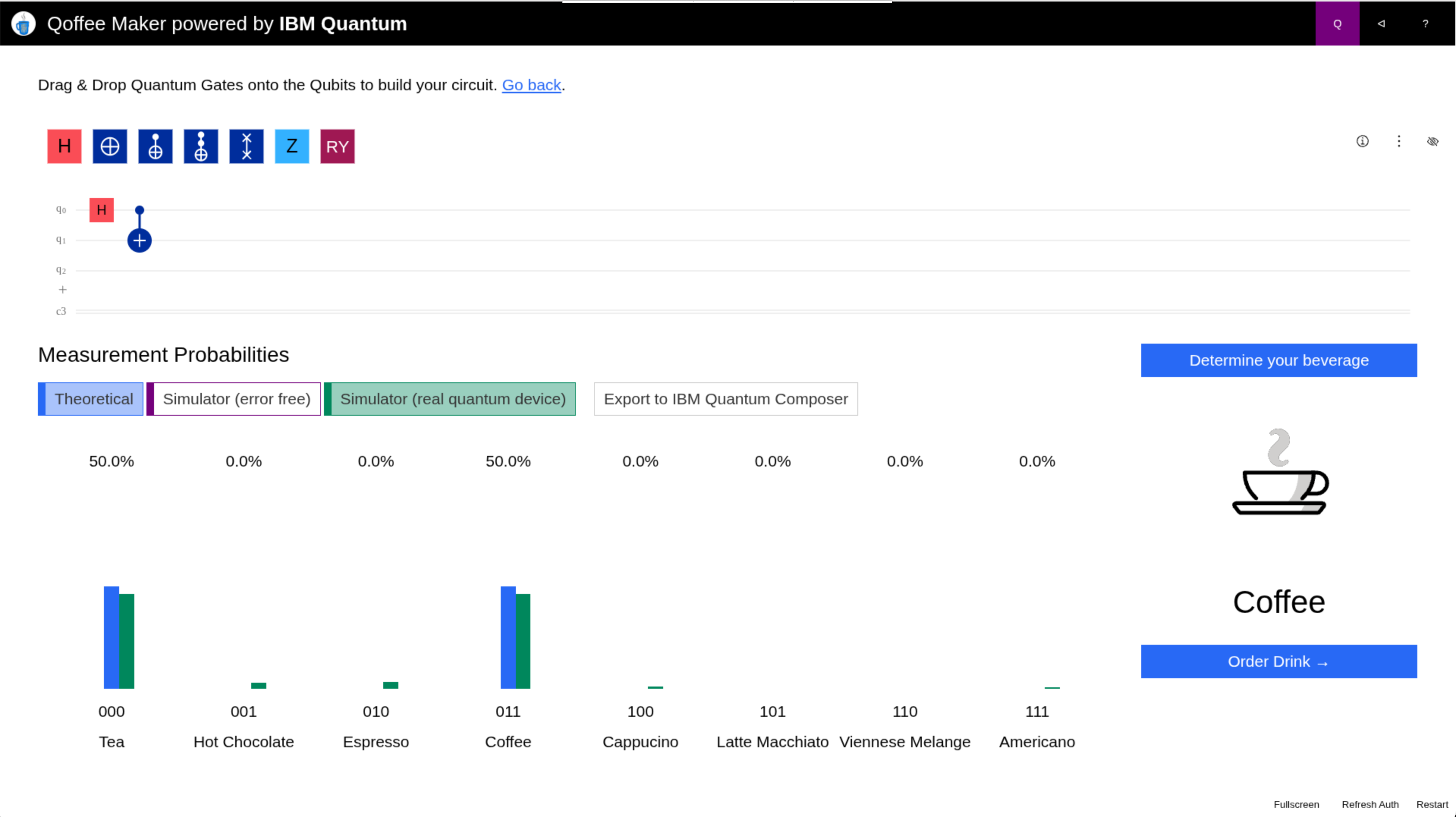
Drag gates onto the qubits to build a circuit. The interface shows the probability of each of the eight outcomes, and which drink each one pours. Choose a backend to compare an ideal simulation against one with realistic noise — the noisy run is the honest one, and it is a good way to feel what error means in practice before anyone mentions error correction.
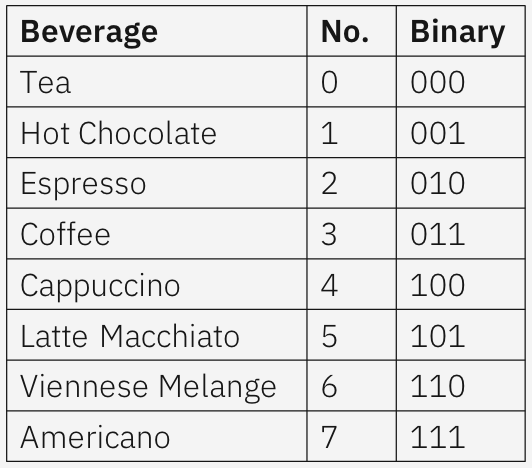
Start by aiming for an outcome you can hit reliably (000, or 111), then try for a specific drink in the middle. That is where it gets interesting: superposition means your circuit sets probabilities, so you may need a few attempts — which is the point of the demo.
With a Home Connect coffee machine, the winning measurement actually brews it:
register an application as in the
Qoffee-Maker README,
then put its client ID and secret, and HOMECONNECT_API_URL=https://api.home-connect.com/,
into ~/RasQberry-Two/demos/Qoffee-Maker/.env. Without one, everything works
except the coffee.
Credits and documentation
By Max Simon and Jan-R. Lahmann, from the "serious games for quantum computing" family. Full details, the hardware setup and the event kit are on the project's own site:
- qoffee-maker.org — the project and its documentation
- Fun with Quantum — more quantum games, also on this image
- IBM Quantum Learning: measurement
See the Demo List for everything else on the image.